

In Moreton Bay, many homes were not designed for today’s work from home load. Laptops, VoIP calls, smart TVs, phones, cameras, printers, and cloud backups may all compete for one modem in a corner. Most dropouts come from a few fixable mistakes.
Connected Electricians and Cablers proudly services the Moreton Bay area, including Caboolture, Morayfield, Burpengary, Narangba, Deception Bay, North Lakes, Woodford, Bribie Island, Bellmere, and nearby suburbs. The team provides electrical and cabling services for domestic, residential, and commercial customers, offers 24/7 emergency phone support, and is listed as a Registered Data Cabler, Master Electrician, smart wiring provider, and energy monitoring installer.
Mistake 1: Treating Wi-Fi Like It Is the Whole Internet
When people say “the internet keeps dropping out,” the real issue is often Wi-Fi, not the NBN service. Wi-Fi is the wireless hop between your device and router. Your internet service is the connection from your provider to the modem or network equipment. If a laptop drops out on Wi-Fi but a device plugged in by Ethernet stays stable, the fault is probably inside the home.
Before replacing your plan or blaming your provider, test a wired connection where possible. NBN troubleshooting guidance lists common in-home Wi-Fi issues such as appliances interfering with signal, out of date router firmware, and a plan that may not support the number of connected devices being used.
Fix: Put your main work computer on wired Ethernet where practical. If the room has no suitable outlet, a registered cabler can install a proper data point. This is cleaner and more reliable than loose leads under rugs.
Mistake 2: Putting the Router Where It Is Convenient, Not Where It Works
A router hidden in a TV cabinet, laundry cupboard, garage, or corner bedroom has to push signal through walls, appliances, glass, metal, and furniture. That may be fine for scrolling. It is not ideal for back to back Zoom calls, remote desktop sessions, file uploads, or cloud accounting.
A common Moreton Bay setup is the modem near the NBN entry point, then the home office at the opposite end of the house. Kitchens, bathrooms, block walls, large mirrors, air conditioners, and aquariums can weaken Wi-Fi. NBN’s notes mention microwaves and fish tanks as possible sources of interference.
Fix: Move the router higher, more central, and out in the open. Keep it away from microwaves, dense cabinetry, and large metal objects. For larger homes, consider a wired access point or mesh system with proper placement. Smart homes start with smart wiring. Don’t fall behind by trying to solve every room with one little box.
Mistake 3: Relying on Cheap Extenders for Serious Work
Plug-in Wi-Fi extenders can help, but they can also create weak spots. Many extenders repeat a weak signal, which means your office may show more bars while still suffering lag, packet loss, or random disconnects. That is why a setup can look “fixed” until a video call starts.
Cheap electrical jobs can cost you thousands later, and the same thinking applies to network shortcuts. If your work depends on stable internet, the best solution is usually structured: modem, router, wired backbone, and well-placed access points.
Fix: Use Ethernet where reliability matters most. For a detached office, garage workspace, upstairs study, or small commercial premises, ask about professional data cabling rather than daisy chaining extenders. In Australia, customer cabling work must be completed by a registered cabler or properly supervised. ACMA states that cablers must be registered and follow rules designed to protect customers, cablers, and telecommunications networks.
Mistake 4: Forgetting the Power Side of the Internet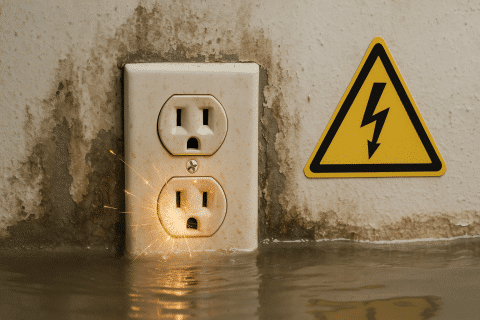
Your modem, router, NBN box, switches, monitors, chargers, printer, and office lighting all rely on safe power. If one overloaded power board is carrying your whole workday, the problem is no longer just internet performance. It is electrical safety.
Sparks from your power point? Don’t ignore it. Flickering lights, warm plugs, buzzing outlets, nuisance tripping, or a burning smell are not “normal work from home issues.” Think your safety switches work? They might not. Queensland’s Electrical Safety Office says you can test a safety switch by pressing the test button, and if it does not flick off, a licensed electrician should check it.
Fix: Give your office a safe electrical foundation. Use quality surge protected equipment, avoid overloaded boards, keep cords visible and undamaged, and have a licensed electrician check suspect outlets, tripping circuits, or older switchboards.
The 7 WFH Dropout Mistakes and Practical Fixes
| Mistake | What it feels like | Practical fix |
| Weak Wi-Fi | Calls freeze in one room | Add a wired point or access point |
| Bad router location | Works near the modem only | Move it central, high, and open |
| Cheap extenders | More bars but still laggy | Use Ethernet or wired mesh nodes |
| Overloaded power | Devices reset randomly | Check circuits, boards, and outlets |
| Old router firmware | Random dropouts | Update firmware or replace aged gear |
| Too many devices | Slow afternoons and evenings | Review plan, router capacity, and load |
| Unregistered cabling | Messy, unsafe, unreliable outlets | Use a registered cabler |
Mistake 5: Using Old Gear With New Workloads
A router that handled emails in 2018 may struggle with today’s load. Video meetings, cloud storage, smart devices, streaming, and remote desktop tools all add pressure. The issue can be speed, but it can also be stability. Old routers may have weak processors, poor Wi-Fi standards, outdated firmware, or limited device handling.
Fix: Check the age of your modem/router, firmware, device count, and plan. If wired connections are stable but Wi-Fi is not, upgrade Wi-Fi hardware or add correctly placed access points. If both wired and wireless connections drop, check your provider’s outage page and restart equipment. Telstra’s NBN equipment guidance starts with checking outages, then turning power off, waiting 30 seconds, and turning it back on.
Mistake 6: Letting Everyone Fight for the Same Connection
Working from home is rarely one person on one laptop. It might be Mum on Teams, Dad uploading plans, a teenager gaming, two TVs streaming, cameras uploading footage, and a cloud backup running. In real homes, the busiest internet time is often when work, school, dinner, streaming, and homework collide.
Fix: Identify the devices that matter most. Plug in the work computer, point of sale device, business printer, or VoIP phone. Pause cloud backups during calls. Move entertainment downloads to quieter times. If you run a small business from home, get your network treated like business infrastructure, not consumer gadgets.
Mistake 7: DIY Cabling That Should Have Been Professional
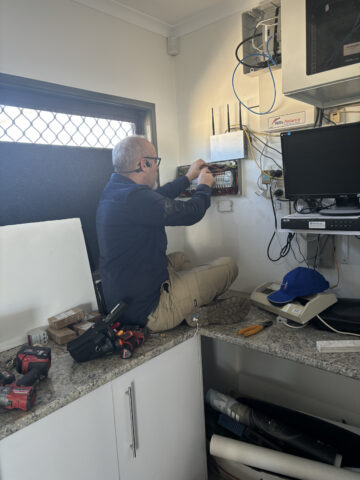 A long cable through a wall cavity, a home made socket, or a “mate of a mate” cabling job can create faults that are hard to see. It can also create compliance and safety problems. Unlicensed work could void your insurance, here’s the fix: use people who are licensed for the work they are doing.
Data cabling is not just about hiding wires. Good cabling considers cable route, separation from electrical circuits, termination quality, testing, labelling, future devices, and whether the setup suits the way the home or business actually runs. This is where a local registered cabler earns their keep.
Fix: Book a cabling assessment. Ask for the home office, modem location, NBN equipment, office power, Wi-Fi dead spots, and future needs to be reviewed together. That gives you a setup that is tidy, compliant, and easier to troubleshoot.
Our Simple 3 Step Process
- Check We look at the modem location, Wi-Fi coverage, power points, safety concerns, and where you actually work.
- Fix We install or repair what is needed, such as data points, smart wiring, safer outlets, lighting, or fault repairs.
- Test We confirm the setup works, explain what changed, and leave the workspace clean and ready to use.
When to Call a Local Electrician or Cabler
Not sure if it’s urgent? Call us and find out. Get professional help if you notice tripping circuits, hot plugs, burning smells, sparking outlets, damaged cables, repeated modem resets, dead data points, or a home office that only works when everything is plugged into one overloaded board.
You should also call if you are renovating, adding a granny flat, turning a garage into an office, upgrading to smart lighting, fitting security cameras, or moving your modem setup. Upgrading your home? Don’t forget the wiring.
Connected Electricians and Cablers is local to Moreton Bay and works across homes, residential neighbourhoods, and commercial premises. The business lists a standard phone number of 07 5422 4918 and an after-hours emergency number of 07 5422 4918 for urgent electrical support.
Reliable Work Starts With Reliable Wiring
Reliable tradies are so hard to find, until now. If your internet keeps dropping out while you work from home, do not keep blaming the laptop, restarting the modem, and hoping tomorrow is better. The real fix may be better router placement, cleaner power, updated hardware, or professional data cabling that gives your office a stable backbone.
Want fast, safe repairs tonight? Need an electrician you can count on? Connected Electricians and Cablers can help Moreton Bay homeowners and small businesses make their work from home setup safer, cleaner, and more reliable. Call 07 5422 4918 for a quote, or use the 24/7 emergency number, 07 5422 4918, when the issue cannot wait.