A switchboard upgrade in Moreton Bay usually means replacing old ceramic fuses or a crowded, ageing board with modern circuit breakers and safety switches on every circuit. At Connected Electricians and Cablers, a standard home upgrade starts from $1,240. Told you need a whole new board and wondering if you're being upsold? This is the honest version: what we look for, what it costs and how it works.
$1,240Standard home upgrade starts from, including GST
$99Switchboard health check if you're not sure what you need
3 maxCircuits per safety switch on a new home board
5 yearsWritten workmanship guarantee on every upgrade
Signs your switchboard needs an upgrade
Most boards give you some warning before they become a real problem. Work through the checklist:
Switchboard warning signs checklistTick what you can see or hear
Tick any that applyWe'll tell you what it usually means.
Not every sign means a full new board. Sometimes adding safety switches or fixing one bad circuit solves it. That's what the $99 health check is for: we open the board, check what protection you actually have, test the safety switches, look for heat damage and loose connections, and tell you which of the three options you're looking at. Adding a couple of safety switches, doing targeted repairs, or replacing the board.
Do you need a full upgrade? Follow the decision tree
Start at the top and stop at the first "yes".
Burning smell, scorching, buzzing or a hot board?
Emergency. Call nowTurn off the main switch only if it's safe to reach, keep clear and call our 24/7 line.
Ceramic fuses, or an asbestos-type panel?
Full upgrade likelyA new board with breakers and safety switches on every circuit. Send photos for a fixed quote.
Adding an EV charger, air con or cooktop?
Check capacity firstSpare room and supply? Add the circuit. Board full? Upgrade, or look at load management.
Any circuits without a safety switch?
Add safety switchesIf the board is otherwise sound, this may be all you need.
Safety switches tripping often?
$99 health checkUsually one faulty circuit or appliance. We find the cause before recommending anything bigger.
No upgrade needed right nowPress each safety switch's test button every three months, as the Electrical Safety Office recommends.
Old fuses, ceramic boards and asbestos: what to look for
Many older homes around Caboolture, Redcliffe and Burpengary still have their original boards: white ceramic fuse holders, a dark mounting panel and a meter box untouched for decades.
Old fuse board
Modern switchboard
Overload protection
Ceramic fuses with wire that melts
Circuit breakers that switch off and reset
Shock protection
Often none, or one safety switch on power points
Safety switches on every circuit
After a fault
Find the fuse, replace the wire
Flick the switch back on
Room to grow
Usually full
Spare space for EV, air con and new circuits
Mounting panel
May contain asbestos
Modern, asbestos-free enclosure
Asbestos: don't touch an old board yourself
Queensland's asbestos guidance says switchboards built or imported before 2004 may contain asbestos, and most installed before 1990 very likely do. Signs include:
A smooth, dark brown to black panel behind the fuses or meter
A tar or bitumen smell
Brand names like Zelemite, Lebah, Ausbestos or Miscolite stamped on the back
A timber meter box lined with fibro sheeting
You can't tell by looking, so don't drill, sand or remove anything. We handle any asbestos panel safely as part of the job, itemised on your quote.
Why every circuit needs safety switch protection
Older homes often have one safety switch covering power points only, or none, leaving lights, hot water and hardwired appliances unprotected.
Illustration only. Your layout depends on how many circuits your home has.
Under the current Wiring Rules, AS/NZS 3000:2018, clause 2.6.3.2.2 requires 30 mA safety switch protection on all final subcircuits in homes. It also sets three rules for homes:
No more than three circuits on any one safety switch
At least two safety switches wherever there's more than one circuit
Lighting circuits shared out across different safety switches
We spread your circuits across several safety switches, so one fault never blacks out the whole house, and fit Type A safety switches, because older Type AC units can no longer be installed under the current Wiring Rules.
On most new boards we use RCBOs, which combine a safety switch and a circuit breaker in one device per circuit. They cost a little more than sharing one safety switch across three circuits, but when a fault happens only that circuit drops out. The fridge keeps running while you sort out the faulty outdoor light. It also makes fault finding much faster, because the board tells you which circuit is the problem.
Buying a home without a safety switch?
Queensland law says you must have a safety switch fitted to the power point circuits within 90 days of the property transfer.
What a switchboard upgrade involves, step by step
Assess and quoteWe check the board, wiring and supply, then give you a fixed written price.
Lodge the Energex paperworkIf the supply or meter is affected, we submit the request and book dates.
Isolate and removeWe make the site safe and remove the old board, handling any asbestos correctly.
Fit the new boardBreakers, safety switches and any new circuits you've asked for.
Label and testEvery circuit labelled and tested before power goes back on.
Certificate and walk-throughYour certificate, plus a quick tour of which switch does what.
How the Energex process works and who handles it
Some upgrades need the supply disconnected or the meter changed, which no electrician can do alone. Here's who does what:
Who
What they do
Us (your electrician)
Submit the Electrical Work Request (EWR) to Energex, book dates and do all the work at your board
Energex
Owns the network. Disconnects and reconnects the supply where needed
Your electricity retailer
Is notified by the EWR, sends Energex a service order and talks to you about any metering charges
The metering provider
Arranged by your retailer. Installs or changes the meter if needed
We handle the paperwork and plan around Energex's dates. Tip: keep your electricity account up to date, because Energex won't act until your retailer sends its service order.
Upgrading for an EV charger, air con or a bigger household load
Many switchboard calls aren't about faults. They're about growth:
We check your board and supply can handle it before you buy anything. We don't install solar or batteries, but we'll get your board ready for your installer.
Single-phase or three-phase: which one do you need?
Most Moreton Bay homes run on single-phase, and for most families that's plenty.
Single-phase
Three-phase
Best for
Most family homes
Large ducted air con, fast EV charging, workshops, acreage with big pumps
What changes
New board only
New board, Energex application and supply work
Often avoidable with
Not applicable
Smart load management on single-phase
Rough cost bands for switchboard upgrades in Moreton Bay
Our standard residential switchboard upgrade starts from $1,240, and a switchboard health check starts from $99, both including GST. For wider context, here's what other Brisbane electricians have published in their 2026 price guides:
Published Brisbane rangeConnected, from $1,240
Adding 1 to 2 safety switches
$180 to $500
Basic upgrade, fuses to breakers plus safety switches
$800 to $1,800
Full single-phase board replacement
$1,500 to $3,500
Full three-phase board replacement
$2,500 to $5,000+
Each additional circuit
$200 to $500
Asbestos board removal
Extra $200 to $500
$0$1,000$2,000$3,000$4,000$5,000+
Ranges from 2026 price guides published by Brisbane electrical contractors. Prices vary by home and scope.
Your price with us is fixed in writing before any work starts. The quote is the price.
What pushes the price up or down
Pushes the price up
More circuits in the home
New circuits added (EV, air con, oven)
Surge protection
Three-phase supply
Asbestos in the old panel
The meter needing to move
A board tucked into a tight garage corner
Keeps the price down
A board on an easy-to-reach outside wall
Sending clear photos so we can quote accurately
Adding future circuits in the same visit
Only adding safety switches when the board is otherwise sound
Doing it once, properly
A cheap partial fix that has to be redone in two years is the most expensive option of all. Ask Josh about payment options for larger jobs.
Surge protection is worth a mention here. A whole-home surge protector fitted at the board helps protect appliances and electronics from voltage spikes, which matters in a region that gets summer storms. It's an optional extra rather than a requirement, and we'll price it separately so you can decide.
Compliance, AS/NZS 3000 and your certificate
Every switchboard upgrade we do is built and tested to AS/NZS 3000, the Wiring Rules. When the work is finished, you receive a Certificate of Testing and Compliance, which Queensland electrical contractors must provide for electrical installation work. Keep it with your house papers for your insurer or a future buyer.
How long the power is off and how to plan for it
For most homes, the power is off for part of the day. Bigger jobs, or ones needing Energex, take longer, and we'll give you an estimate when we quote. To plan ahead:
Empty or run down the freezer
Charge phones, laptops and power banks the night before
Tell us about any medical equipment that needs power
If you work from home, plan an office day or a cafe day
Why a Master Electrician matters for switchboard work
Your switchboard is not the place for a cut-price job. Josh Atkinson, our owner, is a Master Electrician and was named Master Electrician of the Year for South East Queensland in 2021 by Master Electricians Australia.
"Josh was very knowledgeable and thoroughly checked all aspects of the job, which resulted in him finding a separate issue in our switchboard which he rectified for us free of charge."Shirley T., Morayfield, booked Josh for an oven install
#90211QLD Electrical Contractor Licence
5 yearsWritten workmanship guarantee
$20MPublic liability insurance
2021Master Electrician of the Year, SEQ
We're a family business based in Bellmere, covering Moreton Bay from Caloundra to Chermside, including Narangba, Kallangur, North Lakes, Bribie Island and Woodford.
Worried about your switchboard?
Send a few photos for a free, no-obligation quote, or call us. If there's a burning smell or sparks from the board, call our 24/7 emergency line straight away.
How much does a switchboard upgrade cost in Moreton Bay?
Our standard home switchboard upgrade starts from $1,240 including GST, with a fixed written price before work starts. Published 2026 Brisbane price guides put a basic upgrade at $800 to $1,800 and a full single-phase board replacement at $1,500 to $3,500.
Do I need a safety switch on every circuit?
For new home work, yes. The Wiring Rules (AS/NZS 3000:2018) require 30 mA safety switch protection on all final subcircuits in homes, with no more than three circuits per safety switch and at least two safety switches.
Does my old switchboard contain asbestos?
It might. Switchboards built or imported before 2004 may contain asbestos, and most installed before 1990 very likely do. You can't tell by looking, so don't drill, sand or remove anything yourself.
Do I need to contact Energex myself?
No. We submit the Electrical Work Request and book the dates. Your retailer may contact you about metering charges, so keep your account up to date.
RCD testing in Queensland means checking that your safety switches still cut the power fast enough to protect people from an electric shock. For workplaces, how often you test is set by the Electrical Safety Regulation 2026, and the testing itself is carried out to the Australian Standard AS/NZS 3760:2022. If RCD testing, smoke alarm rules and landlord compliance all blur into one confusing pile of paperwork for you, you're not alone. Landlords and small business owners across Moreton Bay ask us about it all the time, so here's the plain-English version.
300 msMaximum trip time for a standard 30 mA safety switch
1 Sep 2026New Electrical Safety Regulation 2026 took effect
3 monthsHow often the Electrical Safety Office says to press the test button
2 testsPush-button and trip-time. Only one proves the switch is fast enough
What an RCD safety switch is and how it protects you
An RCD (residual current device) is the safety switch in your switchboard. It constantly compares the current flowing out on the active wire with the current coming back on the neutral. If some of that current leaks away to earth, for example through a faulty appliance, water in a power point, or a person, the RCD senses the imbalance and cuts the power.
Illustration only. When what goes out doesn't come back, the missing current is going somewhere it shouldn't, and the RCD cuts the power.
The common household and workplace RCD is rated at 30 milliamps, which is the level designed to protect people from a serious shock. It's not the same as a circuit breaker.
Safety switch (RCD)
Circuit breaker
Protects
People, from electric shock
Wiring, from overload and short circuits
Reacts to
Tiny leakage to earth (30 mA)
Too much current on the circuit
How to spot it
Has a "Test" or "T" button
No test button
Needs regular testing
Yes
Not in the same way
Here's the part most people don't know: an RCD can look perfectly fine and still be faulty. The test button can click and the switch can still trip too slowly to do its job. That's exactly why proper testing matters.
Push-button tests versus trip-time tests
There are two very different tests, and they're often confused.
Push-button test
Trip-time (operating-time) test
Who does it
Anyone, including the business owner or tenant
A competent person with a calibrated RCD tester
What it proves
The switch's mechanism moves when you press the button
The switch cuts power within the time limit at its rated leakage current
Equipment needed
None
Specialist RCD test instrument
Recorded result
Pass or fail
Measured trip time in milliseconds
Catches a slow switch?
No
Yes
The push-button test is a quick health check. The trip-time test is the one that tells you whether the switch would actually save someone.
The rules that apply to RCD testing in Queensland
Queensland does things a little differently from the other states. There are four layers, and the higher layer wins when they disagree.
Electrical Safety Act 2002Sets the duty to keep people electrically safe at work and in the community.
Electrical Safety Regulation 2026Sets the maximum testing intervals for most workplaces. Takes precedence over AS/NZS 3760.
AS/NZS 3760:2022The Australian Standard for how RCDs and electrical equipment are inspected and tested.
AS/NZS 3012Covers RCDs on construction and demolition sites.
New regulation from 1 September 2026
The Electrical Safety Regulation 2026 replaced the 2013 Regulation, which expired on 31 August 2026. The Queensland Government says it doesn't introduce new obligations. It mainly renumbers and tidies up the rules. If you were compliant before 1 September, you're very likely still compliant, but any safety paperwork, procedures or tags that quote the 2013 Regulation should be updated.
AS/NZS 3760 doesn't use one interval for everything. A dusty factory floor or a building site is harsher on equipment than a quiet office, so harsher environments get shorter intervals.
Official RCD Testing in Queensland (free PDF guide)
Every testing interval, trip-time limit, landlord and tenant responsibility on one printable guide, plus a blank RCD test record sheet for your compliance folder.
How often your safety switches need testing depends on the type of work done on site. Pick yours below to see the maximum intervals from WorkSafe Queensland's published guidance.
Fixed RCDs (in the switchboard)
Push-button test
6 months
Trip-time test
2 years
Portable RCDs (plug-in)
Push-button test
3 months
Trip-time test
2 years
Maximum intervals. WorkSafe notes longer intervals may apply in some cases under AS/NZS 3760, so we'll confirm your exact schedule when we inspect.
Here's the full picture in one table.
Type of work
Fixed RCD push-button
Fixed RCD trip-time
Portable RCD push-button
Portable RCD trip-time
Office work
6 months
2 years
3 months
2 years
Service work (other)
6 months
2 years
6 months
2 years
Service work: commercial cleaning
N/A
N/A
Daily or before each use
6 months
Manufacturing work
6 months
12 months
Portable RCDs prohibited in manufacturing work since 1 March 2008
Amusement work
6 months
12 months
3 months
12 months
Construction work (AS/NZS 3012)
1 month
12 months
Daily or before each use
3 months
Source: WorkSafe Queensland, Testing and tagging of electrical equipment, updated September 2026. "Daily or before each use" means whichever is the longer.
How the intervals compare for fixed safety switches
Push-button testTrip-time test
Construction
1 month
12 months
Manufacturing
6 months
12 months
Amusement
6 months
12 months
Service
6 months
2 years
Office
6 months
2 years
Harsher sites get shorter bars. A building site needs its switchboard RCDs pushed every month, while a quiet office can go six months.
Who needs RCD testing: businesses, landlords and strata
Businesses
Anyone running a business or undertaking in Queensland has a duty to provide an electrically safe workplace. That includes retail shops, offices, cafes, warehouses, medical practices, aged care and education providers.
Landlords and property managers
Every power point circuit in a Queensland rental must have a safety switch. Many property managers book an electrical safety check between tenants so safety switches and smoke alarms are checked in one visit.
Strata and body corporate
The body corporate generally looks after the RCDs on common-property circuits, like car park lighting, common-area power and pool equipment.
What Queensland rental properties need
A safety switch on all power point circuits, as a minimum. If one isn't there, the owner must have an approved switch installed as soon as practical once a proposed tenancy agreement has gone to the tenant.
Regular push-button testing by the owner, property manager or tenant. The Electrical Safety Office recommends every three months.
If a safety switch doesn't cut the power when tested, the tenant should contact the emergency repair contact in their tenancy agreement straight away.
To enter and test, the owner or property manager must give the tenant proper notice with an Entry Notice (Form 9).
Best practice goes further: the Electrical Safety Office strongly recommends safety switches on every circuit, including lights, air conditioning, oven and hot water.
Buying or selling a home?
Sellers must declare whether a safety switch is fitted to the power point circuits. If you buy a home without one, you must have one installed within 90 days of the transfer.
Landlord or tenant: who is responsible for testing?
In a leased commercial property, responsibility is usually split. The lease can change this either way, so treat the table below as the typical starting point, not the final word.
Item
Usually the landlord
Usually the tenant
RCDs in the main switchboard
Yes, as part of the fixed installation
Sometimes, if the lease says so
Safe installation at lease start
Yes
No
Portable and plug-in RCDs
No
Yes, as the business operator
Power boards and equipment brought in
No
Yes
Common-property circuits (strata)
Body corporate
Some leases put all RCD testing on the tenant. Others leave it with the owner. Read your lease, and if it isn't clear, ask the property manager to confirm in writing before something goes wrong.
How fast an RCD should trip
A common 30 mA RCD must trip within 300 milliseconds when tested at its rated leakage current. That's less than a third of a second. A healthy switch usually trips well inside that limit.
30 mA RCD trip-time testExample readings for illustration
40 ms (10 mA limit)
300 ms limit
0 ms100200300400 ms
Healthy switch: trips in about 24 msWorn switch: 345 ms, fails even if the button works
RCD rating
Where you'll find it
Maximum trip time at rated current
10 mA
Medical areas and some special locations
40 ms
30 mA
Homes, rentals, shops, offices, most workplaces
300 ms
If the trip time comes in over the limit, the RCD has failed, even if the push-button test seemed fine. It's a counter-intuitive result for a lot of business owners, but the button and the timing test measure different things. A 30 mA switch also shouldn't trip at half its rating (15 mA), which helps separate a genuinely faulty switch from one that's simply doing its job.
What happens during a professional RCD test
When we test your safety switches, we work through your switchboard circuit by circuit and note every result:
Visual inspection of the switchboard and each RCD for damage, overheating or signs of moisture
Push-button test on every device
Timed test with a calibrated RCD tester, measuring how fast each switch cuts the power
A check of which circuits each RCD actually protects, so you know about any unprotected circuits
Every result recorded against the RCD's location, ready for your report
Power to each circuit is only off for a moment during testing. For a business, we can plan testing around your opening hours so your customers barely notice we're there.
What our RCD testing process looks like
Book a time
Call or book online. We'll confirm a fixed price and a time that suits your opening hours.
We test every RCD
A licensed electrician inspects, push-button tests and trip-time tests each safety switch.
You get the report
You receive a written report with every result, trip time and next due date.
Your test report and keeping compliance records
A test isn't much use if you can't prove it happened. Your report lists each RCD, where it is, the date tested, the result, the measured trip time and when it's next due. Here's what a few lines look like:
RCD
Location
Rating
Push-button
Trip time
Result
Next due
RCD 1
Main board, kitchen power
30 mA
Pass
22 ms
Pass
6 months
RCD 2
Main board, front power
30 mA
Pass
27 ms
Pass
6 months
RCD 3
Sub-board, workshop
30 mA
Pass
345 ms
Fail, replaced
Retested same day
Sample report lines for illustration only.
Keep it in one place
Keep the reports together, whether that's a folder in the office or a shared drive. If an inspector from the Electrical Safety Office, your insurer or a property manager asks for your records, you can hand them over in minutes.
What to do when an RCD fails its test
A failed RCD shouldn't stay in service
It means the switch may not protect anyone if a fault happens today. Portable equipment that fails must be taken out of use straight away and tagged so nobody uses it.
We replace failed RCDs, test the new device, and then look for the cause. Common culprits include:
A worn-out RCD that has simply reached the end of its life
A faulty appliance leaking current to earth
Water getting into an outdoor power point or light
Damaged or deteriorated wiring
Too many appliances on one RCD, so normal background leakage adds up and causes nuisance tripping
Why a safety switch keeps tripping
Every appliance leaks a tiny amount of current as part of normal operation. Manufacturer guidance is that a 30 mA RCD should normally carry no more than about a third of its rating, around 10 mA, in background leakage. Load too much onto one switch and it trips for no obvious reason. Spreading circuits across more RCDs usually fixes it, and it's often part of a switchboard upgrade.
When we replace an older switch, we fit a modern Type A RCD. The Wiring Rules were amended so that older Type AC RCDs are no longer installed, because Type A units also detect the pulsing DC leakage that modern electronics can produce. We'll give you a fixed written price for any repair before we do it.
Queensland licensing rules for who can test RCDs
Queensland has stricter rules than some other states:
A business that provides testing services to other people or businesses must hold an electrical contractor licence that covers the work.
The person doing the testing must be competent to do it, through training, experience, qualifications or a mix of these.
A short test and tag course on its own doesn't give a business the licence to sell the service.
Repairing electrical equipment without the right electrical work licence is an offence.
Connected Electricians and Cablers holds QLD Electrical Contractor Licence #90211, which you can check on the public register. Our owner, Josh Atkinson, is a Master Electrician and was named Master Electrician of the Year for South East Queensland in 2021 by Master Electricians Australia.
#90211QLD Electrical Contractor Licence
5 yearsWritten workmanship guarantee
$20MPublic liability insurance
2021Master Electrician of the Year, SEQ
RCD testing for Moreton Bay homes, rentals and businesses
We're a family-owned business based in Bellmere, and we test safety switches for homes, rental properties, strata buildings and businesses right across Moreton Bay, from Caloundra to Chermside. That includes Caboolture, Morayfield, Burpengary, Bribie Island, North Lakes and Redcliffe.
Every job comes with fixed written pricing before we start. If a safety switch keeps tripping and won't reset, that's a different story. Call our 24/7 emergency line and a local electrician will ring you straight back.
Need your safety switches tested?
Not sure whether your business is due, or which work category you fall into? We'll tell you when we inspect, and you'll get a fixed price before we start.
How often do RCDs need to be tested in Queensland?
For workplaces it depends on the type of work. Fixed switchboard RCDs need a push-button test at least every 6 months in most workplaces (every month on construction sites), and a trip-time test every 12 months to 2 years. Homes and rentals should push-button test every three months, as recommended by the Electrical Safety Office.
Can I test my own safety switches?
Yes, you can do the push-button test yourself by pressing the "Test" or "T" button on each switch. It proves the mechanism works. It doesn't measure how fast the switch trips, which needs a calibrated RCD tester and a competent person.
Do rental properties in Queensland need RCD testing?
Rentals must have a safety switch on every power point circuit. The Electrical Safety Office recommends push-button testing every three months, and many property managers also book a professional electrical safety check between tenants.
Did the Electrical Safety Regulation 2026 change the testing intervals?
The Queensland Government says the 2026 Regulation, which started on 1 September 2026, doesn't introduce new obligations. It restructures and clarifies the 2013 rules. It's worth updating any procedures or paperwork that still quote the 2013 Regulation.
What's the maximum trip time for a 30 mA RCD?
300 milliseconds when tested at its rated 30 mA. A 10 mA RCD must trip within 40 milliseconds. Anything slower is a fail, even if the test button works.
Will my power go off during testing?
Only for a moment on each circuit as its RCD is tested. For businesses we plan testing around your opening hours, and we'll let you know before we test circuits running computers or fridges.
PoE (Power over Ethernet) is a technology that allows a single ethernet cable to carry both data and electrical power to a device, which means your CCTV cameras, WiFi access points, and VoIP phones can all be powered and connected through the one cable run with no separate power outlet needed at the device location. If you’ve been frustrated by the mess of power adapters, extension leads, and multiple cable runs that come with security cameras and ceiling-mounted access points, PoE is what fixes that. For homes and businesses across Caboolture and the Moreton Bay region, it makes installs cleaner, more reliable, and easier to manage for years to come.
What is PoE (Power over Ethernet) and how does it actually work
PoE works by sending low-voltage DC power along the same copper wire pairs that carry data in a standard Cat5e or Cat6 ethernet cable. The power comes from a PoE-capable switch, called a PSE (Power Sourcing Equipment), and is delivered to the connected device, called a PD (Powered Device).
When a device is plugged in, the switch and device negotiate. The switch detects that the device supports PoE and determines how much power it needs. The switch then provides that power continuously via the cable. Data travels over the same cable simultaneously.
The result is one cable does two jobs. The camera or access point is powered and connected to the network through a single run. No separate power outlet. No power adapter. No additional cables.
Why PoE makes camera and access point installs so much cleaner
Without PoE, a ceiling-mounted WiFi access point needs two things: a data cable for network connectivity, and a power outlet for electricity. In a ceiling, that means either a power outlet is installed in the ceiling cavity (which requires an electrician to run a power circuit) or a power adapter is plugged into a wall outlet somewhere and a power cable runs up to the access point.
Neither solution is clean. With PoE, a single Cat6 cable from the PoE switch to the access point handles both. The electrician or cabler runs one cable. The installer terminates one cable. The result is a ceiling access point with no visible wiring, no power adapter in the ceiling, and a much simpler installation.
The same principle applies to CCTV cameras. A PoE camera at the corner of a car park or above a shop entrance needs only a single ethernet cable run back to the PoE switch or NVR. The alternative is a separate power run plus a data run. That’s twice the cable, twice the terminations, and twice the things that can go wrong.
The three PoE standards: 802.3af, 802.3at, and 802.3bt explained simply
There are three main PoE standards, and knowing which one your devices need is essential for choosing the right switch.
802.3af (PoE) delivers up to 15.4W per port. This covers standard VoIP desk phones, basic IP cameras, and simple access control devices. It’s the baseline PoE standard and is sufficient for most residential and small office devices.
802.3at (PoE+) delivers up to 30W per port. This is needed for WiFi access points with high performance specifications, cameras with pan-tilt-zoom capability, and phones with colour displays and more powerful features.
802.3bt (PoE++) delivers up to 60W or 100W per port. This is for demanding devices like video conferencing units, multi-radio access points, and certain high-power PTZ cameras. Most small business and residential installations don’t require 802.3bt.
When choosing a PoE switch, check the power requirements of every device you plan to connect and ensure the switch standard meets those requirements. The switch’s total PoE budget also matters: a 24-port switch with a 185W PoE budget can’t power 24 devices simultaneously if each one draws close to that maximum.
How much power does a CCTV camera or WiFi access point actually need
The power requirements vary by device type and manufacturer, but typical ranges are:
Standard IP CCTV cameras: 5W to 12W (covered by 802.3af)
PTZ cameras: 15W to 25W (require 802.3at)
Entry-level WiFi access points: 12W to 15W (802.3af)
Mid-range business WiFi access points: 15W to 25W (802.3at)
High-performance multi-radio access points: 25W to 60W (802.3at or 802.3bt)
VoIP desk phones: 5W to 13W (802.3af)
When planning a PoE installation, list every device, confirm its power consumption, add the totals, and choose a switch with a PoE budget that comfortably exceeds the total. Leaving headroom of 20 to 30 per cent in the PoE budget accounts for startup current spikes and future additions.
Choosing the right PoE switch for cameras, access points, and VoIP phones
The right PoE switch for your installation depends on three things: the number of PoE ports needed, the total PoE budget, and whether you need managed or unmanaged functionality.
For any installation that combines cameras, access points, and VoIP phones, a managed switch is strongly recommended. A managed switch allows VLAN configuration to separate voice, data, and security traffic, QoS settings to prioritise VoIP call quality, and port-level monitoring to identify faults quickly.
Unmanaged PoE switches are simpler and cheaper, but they treat all traffic equally and provide no visibility into what’s happening on each port. For a dedicated camera installation with no VoIP, an unmanaged switch may be adequate. For any mixed-use installation, managed is the right choice.
Why the 100-metre cable limit matters and how to plan runs around it
The total maximum length of a structured cabling run from the PoE switch to the device is 100 metres. This includes the structured cable in the wall or ceiling plus the patch leads at each end. In practice, the structured cable run should be kept to 90 metres maximum to leave 10 metres for patch leads.
For most homes and small commercial premises in Caboolture and the Moreton Bay region, 90 metres is more than sufficient. For larger properties or multi-building sites, longer runs need intermediate PoE switches or fibre optic connections with media converters at the device end.
Planning the cable routes and measuring runs before the installation begins is the step that prevents discovering a run is 5 metres too long after the cable is already in the wall. A licensed data cabler will confirm run lengths during the site assessment.
Cat5e vs Cat6 for PoE installs - when the cable grade actually makes a difference
Cat5e can support PoE at most power levels and for most run lengths. But Cat6 is the recommended choice for new PoE installations, and here’s why.
Cat6 has better crosstalk performance than Cat5e, which matters when multiple cables are bundled together in a conduit or ceiling cavity. It also handles heat better. PoE cables that are carrying power generate slightly more heat than data-only cables, and multiple PoE cables bundled together can generate enough heat to degrade Cat5e cable performance over time.
For 802.3bt (PoE++) installations or high-density cable bundles, Cat6a is the appropriate choice due to its superior thermal performance and higher bandwidth capacity.
For the typical residential CCTV or access point installation in Caboolture, Cat6 is the correct specification and what Connected Electricians uses as standard.
How a UPS paired with a PoE switch keeps your cameras and WiFi up during outages
A UPS (Uninterruptible Power Supply) is a battery backup unit that keeps connected devices running during a power outage. When the PoE switch is connected to a UPS, the cameras and access points powered by that switch keep running even when mains power fails.
For business premises in Moreton Bay where security continuity matters, this is a significant benefit. Power outages, whether from storms, grid issues, or a tripped safety switch, are exactly the moment when CCTV coverage is most valuable. A UPS-backed PoE switch ensures the cameras don’t go dark when the power does.
For residential installations, a UPS also protects the data and security equipment from the power surges and voltage spikes that are common during Queensland storm season.
PoE for ceiling-mounted WiFi access points: why it beats running a separate power point
Ceiling-mounted access points are the best location for WiFi coverage in most homes and businesses. They provide 360-degree signal distribution with clear line of sight to devices below, rather than the directional coverage of a wall-mounted router.
Without PoE, a ceiling-mounted access point either needs a power outlet in the ceiling (which is an electrically unsightly addition in a finished ceiling) or a power adapter somewhere below it with a cable running up. Both options are avoidable with PoE.
A single Cat6 cable run from the PoE switch in the comms cabinet to the ceiling access point handles everything. The access point is powered. The access point is connected. No second cable. No visible power adapter. No additional electrical work beyond what’s already being done for the data cabling.
Planning a PoE install in a Moreton Bay home or business - what to think about first
Before planning cable routes and switch specifications, the first question is what devices need PoE and where they’ll be located. Cameras, access points, and phones each have different positioning requirements and different power needs.
The second question is where the PoE switch will live. A central comms cabinet with the NBN equipment is the ideal location, as it minimises cable run lengths and keeps the infrastructure in one place. The switch should have enough port count and PoE budget for all current devices plus a reasonable allowance for future expansion.
The third question is the cable route from the switch to each device. This is where a proper site assessment pays off. Ceiling cavity access, wall construction, and existing cable pathways all affect how cables can be routed neatly.
How Connected Electricians plans and installs PoE cabling alongside electrical work
Connected Electricians handles both the electrical and data cabling for PoE installations across Caboolture and the Moreton Bay region in a single visit. Josh and the team are licensed electricians and registered data cablers (Licence 90211, Cabler Reg 048361), which means we can legally and competently handle every part of the installation.
We assess your premises, confirm device locations, plan cable routes, specify the right PoE switch, and provide an upfront fixed quote before any work starts. The installation is clean, documented, and tested before we leave. Every data outlet and cable run is tested with a cable tester, and we provide a service report with photos for commercial and strata clients.
One tradie. One invoice. A 5-year workmanship guarantee on every job.
Getting a quote for a PoE cabling job in Caboolture
The quickest way to get an accurate quote is to send photos of your property or premises along with a description of what you want to achieve: the number of cameras, access points, or phones, and a rough idea of where they need to go.
We can quote many jobs from photos without a site visit, which saves time. For larger or more complex installations, a site inspection ensures the quote is accurate and there are no surprises once work begins.
Contact Connected Electricians today for a free, no-obligation quote. We serve Caboolture, Morayfield, North Lakes, Burpengary, Bribie Island, and the broader Moreton Bay region, from Caloundra to Chermside. If you need PoE cabling done properly, we’re the local team to call.
For real businesses in Moreton Bay, wired CCTV significantly outperforms WiFi cameras on every metric that matters: reliability, video quality, security, and the ability to keep recording when the internet drops out. If you’re a small business owner in Caboolture, Morayfield, or North Lakes who’s weighing up whether to install WiFi cameras or go wired, this article covers the honest comparison. The answer isn’t complicated, but it does depend on what you’re protecting and how seriously you take the coverage.
The real difference between WiFi and wired CCTV cameras for a business
The core difference is the connection. A WiFi camera sends its video data wirelessly to your router or network video recorder (NVR). A wired PoE camera sends its data and receives its power through a single Cat6 ethernet cable that connects directly to a PoE switch or NVR.
That difference in how the connection is made determines almost everything else: reliability, video quality, security vulnerability, and what happens when conditions change. WiFi is a shared, contested, wireless medium. A wired ethernet connection is a dedicated, stable, direct path.
For businesses where the cameras are there for a reason, and where footage might one day need to stand up to scrutiny after an incident, wired is the professional standard.
Why commercial premises in Moreton Bay should default to wired CCTV
Security professionals consistently recommend wired PoE systems for commercial premises, and the reasons are practical rather than theoretical.
Commercial premises run cameras continuously. Unlike residential cameras that might record only on motion, a business security system typically needs 24/7 recording. A wired PoE system with a local NVR records continuously regardless of internet status. A WiFi camera that depends on cloud connectivity stops recording meaningfully when the internet drops.
Commercial premises also have more complex environments. Larger spaces, concrete walls, multiple rooms, and interference from many connected devices all degrade WiFi signal quality. A Cat6 cable run to a camera location is unaffected by any of this.
How PoE cabling powers and connects cameras through a single ethernet cable
PoE (Power over Ethernet) is the technology that makes wired CCTV installations so clean. A single Cat6 cable from the camera to the PoE switch or NVR carries both the video data and the power the camera needs to operate. No separate power outlet at the camera location. No battery to maintain. Just one cable.
A standard Cat6 run can be up to 100 metres, which covers the vast majority of camera locations in commercial premises in Caboolture and the Moreton Bay region. For cameras at the perimeter of a larger property, this may need to be planned carefully, but for most standard shopfronts, offices, and warehouses, 100 metres is more than sufficient.
The cleanliness of a single-cable installation also makes the system more tamper-resistant. There’s no easily accessible power adaptor that can be removed to disable the camera.
What happens to WiFi camera footage when the internet drops out
This is the question that changes how most business owners think about WiFi cameras. Most cloud-connected WiFi cameras require an active internet connection to record footage to the cloud. When the internet drops, they stop recording.
Some WiFi cameras have local SD card storage as a backup. But that storage is limited, the footage quality may be reduced, and the camera is still dependent on a functioning WiFi network at the property.
A wired PoE system with a local NVR stores footage on a hard drive at the property. It records continuously regardless of whether the internet is connected. If the NBN goes down, the cameras keep recording. That’s the standard a business should hold its security system to.
Video quality comparison - wired PoE vs WiFi cameras in a retail or commercial setting
| Factor | WiFi CCTV | Wired PoE CCTV |
|---|----|------|
| Continuous 24/7 recording | Limited by battery or internet dependency | Yes, with local NVR |
| Connection stability | Variable, affected by interference and device congestion | Consistent, unaffected by wireless conditions |
| Video quality during peak hours | Can degrade as network traffic increases | Unchanged |
| 4K recording capability | Possible but bandwidth-dependent | Yes, reliable at full quality |
| Internet outage behaviour | Recording may stop | Recording continues locally |
Wired PoE cameras maintain consistent video quality because the data travels over a dedicated cable, not a shared wireless medium. A busy shop floor with dozens of customer devices connected to the same WiFi network that the cameras are using will see degraded performance from the cameras during busy periods. Wired cameras are unaffected.
Security vulnerabilities of wireless cameras that wired systems avoid
WiFi cameras can be hacked remotely. A wireless signal can be intercepted. Most consumer-grade WiFi cameras have had documented security vulnerabilities at some point in their product lifecycle. For a business where the CCTV system covers sensitive areas, cash handling, or security access points, this is a genuine consideration.
Wired cameras require physical access to the cable or the NVR to be compromised. The attack surface is fundamentally smaller. For commercial premises in Caboolture where security is a business requirement, not just a nice-to-have, wired systems provide a stronger security posture.
Why insurance assessors care about how your business CCTV is installed
If your business makes an insurance claim that involves CCTV footage, the quality and reliability of your system will be scrutinised. An insurance assessor who reviews a claim where the cameras weren’t recording because the WiFi dropped out, or where the footage resolution is too poor to identify anyone, is a problem.
Professional wired CCTV systems installed by a licensed electrician and cabler provide the kind of continuous, high-quality footage that satisfies insurer requirements. The installation standard also matters. A system installed correctly by a licensed cabler is demonstrably more reliable than a DIY wireless setup.
For small businesses across Moreton Bay that carry commercial insurance with security system requirements, a properly installed wired CCTV system is not just better performance. It’s compliance.
Camera positioning and cable runs: how a licensed cabler plans a wired CCTV install
Good camera positioning comes first. Entry and exit points, high-traffic areas, cash handling locations, car parks, and loading docks are typical priorities for a business security system. Once the camera positions are confirmed, the cable routes are planned to minimise visible cable runs and protect the cables from damage.
In most commercial premises, cables run through ceiling cavities back to a central PoE switch or NVR in the comms cabinet. This keeps the installation tidy and protects the cabling. Where roof cavity access isn’t available, cable management conduit can provide a neat surface-mounted solution.
Every camera position and cable run in a well-planned installation considers what coverage is needed, where the cable can travel without being visible or vulnerable, and how the system can be expanded in the future without significant rework.
Hybrid systems: when it makes sense to combine wired and WiFi cameras
There are situations where a hybrid approach is practical. A wired system covering all primary internal and external locations, with WiFi cameras added at locations where running cable is genuinely not feasible, such as a detached shed, a car park remote from the main building, or a temporary location.
In these cases, the WiFi cameras should be understood as supplementary coverage, not the primary security system. The core of the installation should be wired, with WiFi filling gaps where cable is impractical.
For most commercial premises in Caboolture and across the Moreton Bay region, cable can reach everywhere it needs to with proper planning. Hybrid systems are the exception, not the rule.
The real cost comparison between wired and wireless CCTV for a small business
WiFi cameras appear cheaper upfront because there’s no cabling installation cost. But the comparison isn’t between the camera prices. It’s between the total cost of a system that works reliably for five to ten years versus one that may need ongoing maintenance, replacement, and troubleshooting.
A wired PoE system installed correctly by a licensed cabler has minimal ongoing costs. The cameras run continuously. The footage is stored locally. There are no cloud subscription fees. When a component needs replacing after years of service, it’s a straightforward swap.
WiFi camera systems often involve recurring cloud storage costs, more frequent failures in harsh outdoor conditions, and the ongoing cost of a WiFi network that performs well enough to support continuous video streaming.
How Moreton Bay conditions like humidity and storms affect wireless camera reliability
Moreton Bay’s climate is genuinely hard on electronics. High humidity, UV exposure, and regular storm activity affect both camera hardware and wireless signal reliability. Outdoor WiFi cameras that are exposed to this environment have shorter service lives than manufacturers’ specifications suggest, which assume more temperate conditions.
A wired PoE camera in an appropriate outdoor housing is protected from the elements by its casing, and its connection to the NVR is unaffected by weather. A WiFi camera loses signal reliability when moisture affects the router or access point, when storm activity causes power fluctuations, and when thermal expansion and contraction in outdoor housings degrades connections over time.
For any business in coastal or subtropical Moreton Bay, wired is the more durable solution.
How Connected Electricians handles CCTV cabling alongside electrical work
At Connected Electricians, we handle both the electrical and data cabling for CCTV installations in a single visit. One tradie, one invoice. Josh and the team are licensed electricians and registered data cablers (Licence 90211, Cabler Reg 048361), which means we can legally run both the power and data cabling for your CCTV system without needing a second trade.
We assess camera positions, plan cable routes, install Cat6 to every camera location, install and configure the PoE switch or NVR in your comms cabinet, and test every camera before we leave. For commercial and strata clients across Caboolture and the Moreton Bay region, we provide service reports and photos.
Upfront pricing, 5-year workmanship guarantee, and a real local electrician who shows up when they say they will. Contact us for a free, no-obligation quote for your business CCTV installation today.
VoIP phone systems need a reliable, wired ethernet connection with PoE (Power over Ethernet) capability to deliver consistent call quality, and if your cabling or switch infrastructure isn’t set up correctly, you’ll hear it in every call you make. If you’re a small business owner in Caboolture or across the Moreton Bay region who’s recently moved to a VoIP phone system, or is planning to, the cabling and network setup behind it matters more than most installers will tell you.
What is VoIP and why does cabling quality affect call quality so much
VoIP stands for Voice over Internet Protocol. Instead of sending your voice through a dedicated telephone line, it converts the audio to data packets and sends them across your internet connection or local network. Those packets need to arrive quickly, in the right order, and without loss. When they don’t, you get the audio problems that most people associate with bad VoIP: choppy audio, echo, lag, and dropped calls.
The quality of the physical cabling between the phone and the network switch directly affects how reliably those packets travel. A cable with a bad termination, a run that’s too long, or a connection that’s picking up interference will introduce exactly the kind of packet loss and inconsistency that destroys VoIP call quality. This is why cabling quality is not a secondary consideration in a VoIP installation. It’s the foundation.
How PoE powers your VoIP phone through the ethernet cable and why that matters
PoE (Power over Ethernet) allows a single Cat6 cable to carry both data and power to the phone. The switch sends a low-voltage current along the same cable that carries the VoIP data. The phone draws the power it needs from that cable and uses the same connection for all its communications.
Without PoE, each desk phone needs its own power adaptor plugged into a mains socket. In an office with 10 phones, that’s 10 extra power adaptors and 10 extra mains sockets that need to be available at each desk. With PoE, it’s one cable per phone. Cleaner, simpler, and significantly easier to manage.
For small businesses in Caboolture and the Moreton Bay region that are fitting out a new office or upgrading from a traditional PABX system, PoE cabling with a PoE-capable managed switch is the standard approach.
Why wired VoIP is more reliable than WiFi-connected phone systems
VoIP over Wi-Fi is possible, but it’s not the right choice for a business environment. Wi-Fi introduces variability that voice traffic cannot tolerate. Signal strength fluctuates. Multiple devices compete for bandwidth. The connection that’s strong at 9am when only two people are in the office can be poor by 10am when everyone has arrived and connected.
Wired VoIP has none of these issues. The phone’s connection to the network is stable, consistent, and unaffected by what’s happening on the wireless network. Call quality is predictable. The system is easier to support and troubleshoot.
For any business office where phone calls are a serious business tool, wired VoIP with a proper PoE cabling installation is the right approach. Wi-Fi VoIP may be acceptable for occasional soft-phone use on a laptop, but it’s not a substitute for a dedicated wired phone at a desk.
The right ethernet cable spec for VoIP - Cat5e, Cat6, or Cat6a
Most VoIP desk phones require between 5W and 13W of PoE power, which is well within the 15.4W maximum of the standard 802.3af PoE specification. A Cat5e cable can technically support this. However, Cat6 is the correct choice for new VoIP cabling installations, for several reasons.
Cat6 has better crosstalk rejection and signal integrity than Cat5e. In an office environment with multiple cable runs in close proximity, Cat6’s improved performance matters. Cat6 also future-proofs the installation for 10 Gbps data speeds and higher-power PoE devices.
Cat6a is rarely needed for desk phone applications but becomes relevant if the same cable run also needs to support higher-speed data devices or if the run is close to the 100-metre maximum. For most small office VoIP installations in Caboolture, Cat6 is the right call.
How many ethernet ports does a VoIP desk phone actually need
Most VoIP desk phones have two ethernet ports built in: one that connects to the wall data outlet, and a second passthrough port that connects to the computer on the same desk. This allows the phone to act as a small switch, so the desk only needs one cable run but can support both the phone and the computer.
This is a useful feature, but it comes with a trade-off. Phone and data traffic share the same cable run to the switch. For most small offices, this is fine. For offices where call quality is critical, running separate data points for the phone and the computer gives you the option to prioritise voice traffic properly at the switch level.
The recommendation is to plan for one data point per desk as a minimum for VoIP, and two where call quality is a business priority.
What is a PoE switch and how to choose the right one for your office phones
A PoE switch looks like a regular network switch but has the ability to send power down ethernet cables to connected devices. For a VoIP installation, you need a switch with enough PoE ports for all your phones plus your Wi-Fi access points, enough total PoE budget (the total wattage available across all ports) to power all devices simultaneously, and for VoIP specifically, it should be a managed switch.
An unmanaged switch is plug-and-play but cannot separate voice and data traffic, and cannot prioritise VoIP packets over other network traffic. A managed switch gives you VLAN and QoS capability, which are essential for reliable call quality in a shared office network.
For a 10-phone office, a 24-port managed PoE switch with a 185W PoE budget is a typical starting point. Your data cabler or IT provider can confirm the right specification for your number of phones and access points.
VLANs and QoS: the network settings that keep voice traffic smooth
VLAN stands for Virtual Local Area Network. It allows you to segment your network traffic even when it’s all running over the same physical cables. With VLANs configured, your VoIP phones can be on a dedicated voice VLAN, completely separate from your computers, printers, and guest Wi-Fi, even though they all share the same physical network infrastructure.
QoS stands for Quality of Service. It allows the switch to prioritise certain types of traffic. With QoS configured for voice, the switch ensures that VoIP packets are delivered ahead of file downloads, video streaming, and other less time-sensitive traffic. This dramatically reduces the risk of audio issues even during periods of high network usage.
Both VLANs and QoS are configured on the switch, not the cabling. But they only work correctly if the cabling infrastructure is solid. A managed switch with VLANs and QoS running over properly installed Cat6 cabling is the foundation of a VoIP system that just works.
Managed vs unmanaged switches and why it matters for call quality
The difference between a managed and unmanaged switch for VoIP comes down to control. An unmanaged switch treats all traffic equally. If someone starts downloading a large file while you’re on a call, the switch has no mechanism to protect the call from that competition. The result can be choppy audio or dropped connections.
A managed switch lets you set rules. Voice traffic gets priority. The VoIP VLAN is isolated from other network segments. You can monitor which ports are active and identify problems quickly. When something goes wrong, a managed switch gives you the information you need to find and fix it.
For any business in Caboolture that relies on VoIP for customer calls, a managed switch is not optional. It’s part of the system.
How to plan a VoIP cabling layout for a small Moreton Bay office
Planning a VoIP cabling layout starts with the number of phones and their locations, then works backward to the comms cabinet. Every phone location needs a Cat6 data outlet. The switch needs to be large enough for all phone ports plus computer ports, access points, and any spare capacity for growth.
The comms cabinet needs space for the managed PoE switch and a patch panel to terminate all the cable runs. The cable runs from the cabinet to each desk should be within 90 metres of structured cabling (leaving 10 metres allowance for patch leads at each end to stay within the 100-metre total).
For any office in Moreton Bay where the runs may approach 90 metres, Cat6a becomes worth discussing with your cabler. For most small offices in Caboolture and surrounds, Cat6 at standard run lengths is more than adequate.
Moving from an old PABX to VoIP: what cabling you may need to upgrade
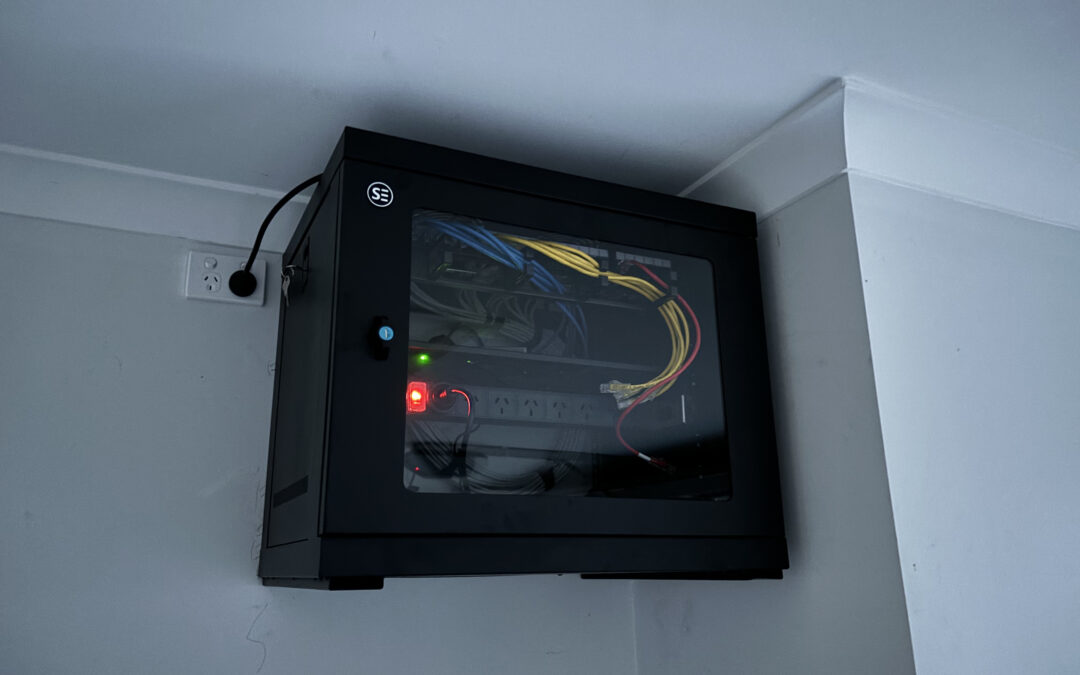
A traditional PABX system runs on telephone cable, which is very different from the Cat6 Ethernet cabling that VoIP requires. If your existing phone points are connected to a PABX with telephone cable, those runs cannot be reused for VoIP without replacement.
In practice, moving from a PABX to a VoIP system in a Caboolture office often means a full data cabling installation if one doesn’t already exist. Existing data points for computers can often be reused for VoIP with a phone passthrough, but the telephone wiring itself is not compatible.
The cabling assessment should happen before the VoIP system is purchased or provisioned, not after. Knowing what’s already usable and what needs to be installed determines the total cost of the migration.
Migrating to VoIP: how Connected Electricians handles the cabling side
Josh and the team at Connected Electricians handle the physical cabling side of VoIP migrations for businesses across Caboolture, Morayfield, North Lakes, and the broader Moreton Bay region. We’re licensed electricians and registered data cablers (Licence 90211, Cabler Reg 048361), which means every installation is compliant with Australian standards.
We assess existing cabling, confirm what can be reused and what needs to be replaced, and provide an upfront fixed quote for the data cabling installation. We work alongside your VoIP provider or IT team and can coordinate the physical installation with the system configuration so the migration goes smoothly.
What a PoE VoIP cabling install looks like from quote to sign-off
The process starts with a site inspection. We assess the existing infrastructure, confirm the number of phones and their locations, identify the cable routes, and specify the correct switch and patch panel for the installation. The quote is provided upfront with a fixed price. Once accepted, the installation is scheduled, completed, and tested. Every data outlet is tested for continuity and performance. Every patch panel port is labelled. The comms cabinet is documented. Sign-off includes confirmation that every phone has a working, tested data outlet, the switch is correctly specified and installed, and the system is ready for the VoIP provider or IT team to complete the configuration side. If you’re planning a VoIP installation in a Caboolture or Moreton Bay business and want the cabling done right from the start, contact Connected Electricians for a free, no-obligation quote today.
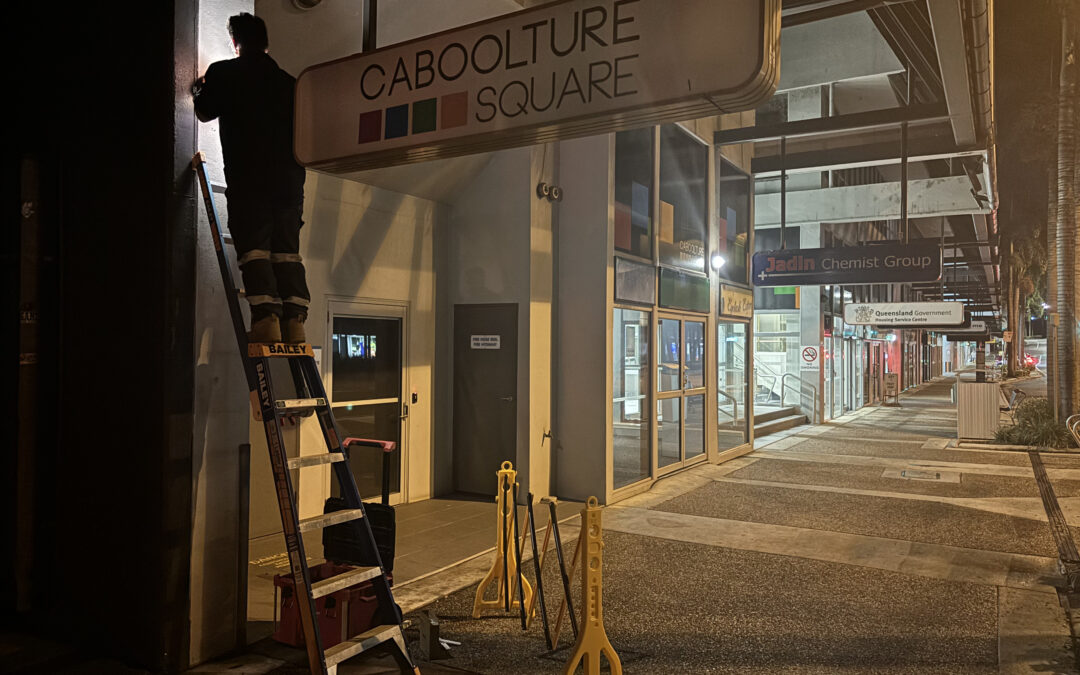
After-hours data cabling in Moreton Bay means scheduling your network upgrade, new cabling installation, or infrastructure work outside business hours so your team walks in the next morning to a working system without ever experiencing a moment of downtime. If you run a business in Caboolture, North Lakes, Morayfield, or anywhere across the Moreton Bay region and the thought of shutting the office or shop for a cabling job makes you wince, the good news is you don’t have to. Most commercial cabling work can be completed overnight or on a weekend if it’s planned properly.
Why businesses in Moreton Bay choose after-hours cabling to avoid disruption
For most businesses, the cost of downtime during trading hours outweighs the cost of an after-hours loading on a cabling job. A retail store that can’t process transactions while cabling is being run loses real revenue. A medical practice that can’t access patient records while the network is being upgraded faces genuine safety issues. A busy cafe where someone is running cable through the ceiling during the breakfast rush is just impractical.
After-hours cabling solves all of this. The work happens when the business is closed, the staff aren’t in the way, the customers aren’t affected, and the installer has access to all the spaces they need without working around people.
Businesses in Caboolture and across Moreton Bay choose after-hours scheduling particularly for fit-outs in occupied tenancies, network upgrades in active offices, EFTPOS and CCTV cabling in retail and hospitality, and any project where running cable during the day would mean staff can’t work.
What types of cabling work are best scheduled after business hours
Not every cabling job needs to happen after hours. A quick repair to a single data outlet, or adding one or two data points in a room that’s not in use, can often happen during business hours without significant disruption.
The jobs that are best scheduled after hours are:
Full structured cabling installations in occupied offices or retail premises
Network cabinet upgrades, patch panel replacements, or major changes to the comms room
CCTV and security system cabling in active premises where access to ceiling cavities disrupts business
EFTPOS and point-of-sale cabling in cafes and retail that can’t close during the day
Any job that requires turning off sections of the network, even briefly
Fit-outs in shared buildings where noise from cabling work would disturb other tenants
For strata properties and shopping centres in Caboolture and the surrounding region, after-hours scheduling is often a requirement from building management, not just a preference.
How to plan an after-hours cabling upgrade so nothing is missed
The key to a smooth after-hours cabling job is planning that happens well before the night of the work. This means a thorough site inspection during business hours to map cable routes, identify access points, and confirm what’s existing infrastructure and what needs to be installed.
A good pre-work checklist includes confirming after-hours access arrangements with building management or the landlord, identifying any alarm systems that need to be managed, confirming the location of existing cable runs and comms cabinet, and making sure all materials are on site before the work night begins.
When the planning is done properly, the actual overnight work is methodical and efficient. Delays and mistakes happen when installers are solving access or routing problems in the middle of the night instead of during the inspection.
The difference between a cabling upgrade and a full network overhaul
A cabling upgrade adds to or replaces the physical cable infrastructure. New data points, new patch panel ports, replacing degraded Cat5e with Cat6, extending runs to new desk locations. It doesn’t necessarily mean changing routers, switches, or network configuration.
A network overhaul involves the cabling but also addresses the active equipment and configuration. New managed switches, a new router, VLAN setup, Wi-Fi access point repositioning, and configuration changes that affect how the network actually performs.
Both can be done after hours. The key difference is coordination: a cabling upgrade can often be completed without taking the network offline for more than a short period, while a full network overhaul may require planned downtime for the active equipment changes. Knowing which you need before the job starts determines how the night is planned.
Retail and hospitality cabling: why daytime installs are often not an option
In a busy cafe or retail shop, running cable through the ceiling during business hours creates noise, disruption, and safety issues. Ladders in a customer area, cable drums in the aisle, and dust from ceiling access are simply not compatible with an operating business.
Hospitality in particular is sensitive to any interruption to the network. EFTPOS terminals, point-of-sale systems, kitchen display systems, and music streaming are all running continuously. An overnight cabling job that takes those systems offline safely, installs the new infrastructure, and has everything running before the first customer arrives is the only practical approach.
For retail and hospitality clients in Caboolture and across the Moreton Bay region, after-hours cabling is the standard way of working, not the exception.
How after-hours loading on cabling jobs compares to the cost of business downtime
After-hours cabling jobs typically carry a loading compared to standard-hours work. That loading reflects the cost of the installer’s time outside normal business hours and the coordination required to manage the after-hours access and scheduling.
But the comparison isn’t between after-hours cost and standard-hours cost. The comparison is between the after-hours loading and the cost of the business downtime that a daytime install would cause.
For most businesses that rely on their network to trade, the after-hours loading is recovered quickly. A retail business that loses four hours of trading to allow a daytime install has likely paid more in lost revenue than the loading would have cost.
What to expect when Connected Electricians works overnight in your premises
A night shift cabling job with Connected Electricians follows a clear process. The team arrives with all materials, tools, and a site-specific work plan based on the daytime inspection.
Work begins methodically from the comms cabinet outward, or from the cable runs back to the cabinet depending on the job type. Cable routes that were identified during inspection are followed. Everything is tested as it goes in, not just at the end.
Before leaving, every new outlet is tested for connectivity and labelled. The comms cabinet is tidy and documented. The team cleans up after themselves and restores any access panels or ceiling tiles that were moved during the work. The handover includes confirmation of what was installed, what was tested, and what the test results showed.
Preparing your team and IT systems for a smooth cabling cut-over
A smooth after-hours cabling upgrade requires some preparation from the business as well. The team at Connected Electricians will advise on this during the planning stage, but the key things to manage are: ensuring staff save and close their work before leaving for the day so the network can be taken offline safely, communicating to staff what changes they’ll see when they arrive the next morning, and having an IT contact available by phone during the work in case configuration changes are needed.
For jobs that involve changes to the active network equipment, the IT provider or a nominated technical contact should be available remotely during the overnight work. This allows any configuration issues to be resolved without waiting until the next business day.
Strata and property managers: how we coordinate with building management after hours
Strata and shopping centre management have their own requirements for after-hours contractor access. Building management needs to be notified, access arrangements confirmed, any required inductions completed, and in some cases security or a building manager needs to be present.
Connected Electricians works with property managers and building management across Caboolture and the Moreton Bay region regularly, and is familiar with the documentation and coordination requirements. We provide clear service reports and photos for every commercial and strata job, which satisfies property manager records requirements and creates documentation for the building’s maintenance history.
Moreton Bay business conditions that make after-hours installs more complex
Moreton Bay’s humidity and coastal conditions create some specific challenges for after-hours cabling work. Ceiling cavities in older commercial buildings can have insulation that has absorbed moisture, which affects cable routing. Existing cable runs in humid environments may be in worse condition than expected once inspected.
Storm seasons also affect scheduling. A planned overnight job can be complicated by a Queensland summer storm that affects access or creates safety concerns for work in ceiling spaces. Building this into the planning stage - with a contingency date or plan - ensures the job doesn’t become a problem if weather intervenes.
Testing and handover: how we confirm everything works before we leave
No after-hours cabling job is complete until everything is tested and documented. At Connected Electricians, every data outlet is tested with a cable tester before the team leaves. Every new connection is confirmed live. The comms cabinet is labelled and documented.
The handover includes a written record of what was installed, the test results for every run, and confirmation that the system is operational. For strata and commercial clients, this documentation is provided as a service report with photos.
The goal is simple: the business owner arrives in the morning and nothing has changed from their perspective, except that their network is better than it was the night before.
How to book an after-hours cabling job with Connected Electricians and Cablers
Booking an after-hours cabling job starts with a site inspection during business hours. Josh and the team assess your premises, understand exactly what’s needed, and provide an upfront, fixed quote before any work is scheduled.
Once the scope and cost are confirmed, we coordinate the after-hours access arrangements and schedule the work at a time that suits you. Most after-hours jobs in Caboolture and the Moreton Bay area can be scheduled within one to two weeks.
To get started, contact Connected Electricians for a free, no-obligation site inspection and quote. We’re fully licensed (Licence 90211, Cabler Reg 048361), backed by a 5-year workmanship guarantee, and we provide service reports and photos on every commercial job. Call us, send a message, or book online today.
I’m a proud Mum of 4 boys and a dedicated administrator for our new Electrical Contracting business, founded by my Husband and I. My life is a wonderful balancing act between managing my bustling household and supporting the growth of our business. As a Mum, I’ve gotten my organisation skills perfected and I try to bring these skills to our company’s administrative tasks. I have a deep commitment to my family and our business and am excited to be on this journey and will always strive to make everything run smoothly behind the scenes. Thanks for getting to know us and we look forward to serving our local community.