
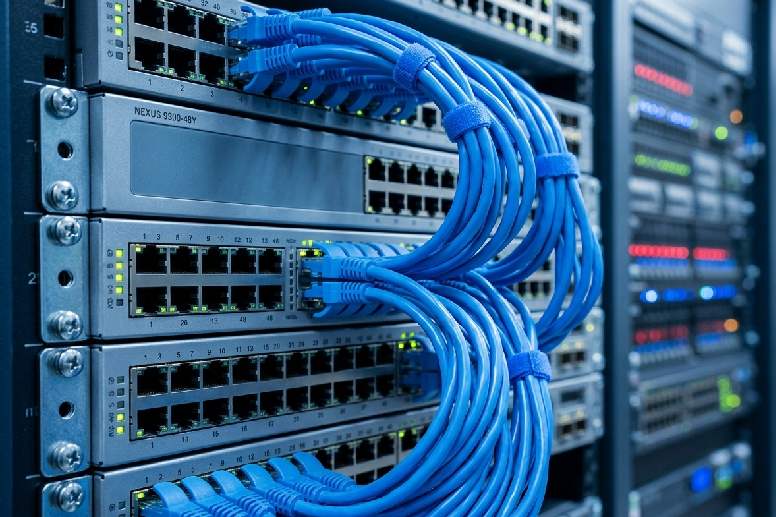
PoE (Power over Ethernet) is a technology that allows a single ethernet cable to carry both data and electrical power to a device, which means your CCTV cameras, WiFi access points, and VoIP phones can all be powered and connected through the one cable run with no separate power outlet needed at the device location. If you’ve been frustrated by the mess of power adapters, extension leads, and multiple cable runs that come with security cameras and ceiling-mounted access points, PoE is what fixes that. For homes and businesses across Caboolture and the Moreton Bay region, it makes installs cleaner, more reliable, and easier to manage for years to come.
What is PoE (Power over Ethernet) and how does it actually work
PoE works by sending low-voltage DC power along the same copper wire pairs that carry data in a standard Cat5e or Cat6 ethernet cable. The power comes from a PoE-capable switch, called a PSE (Power Sourcing Equipment), and is delivered to the connected device, called a PD (Powered Device).
When a device is plugged in, the switch and device negotiate. The switch detects that the device supports PoE and determines how much power it needs. The switch then provides that power continuously via the cable. Data travels over the same cable simultaneously.
The result is one cable does two jobs. The camera or access point is powered and connected to the network through a single run. No separate power outlet. No power adapter. No additional cables.
Why PoE makes camera and access point installs so much cleaner
Without PoE, a ceiling-mounted WiFi access point needs two things: a data cable for network connectivity, and a power outlet for electricity. In a ceiling, that means either a power outlet is installed in the ceiling cavity (which requires an electrician to run a power circuit) or a power adapter is plugged into a wall outlet somewhere and a power cable runs up to the access point.
Neither solution is clean. With PoE, a single Cat6 cable from the PoE switch to the access point handles both. The electrician or cabler runs one cable. The installer terminates one cable. The result is a ceiling access point with no visible wiring, no power adapter in the ceiling, and a much simpler installation.
The same principle applies to CCTV cameras. A PoE camera at the corner of a car park or above a shop entrance needs only a single ethernet cable run back to the PoE switch or NVR. The alternative is a separate power run plus a data run. That’s twice the cable, twice the terminations, and twice the things that can go wrong.
The three PoE standards: 802.3af, 802.3at, and 802.3bt explained simply
There are three main PoE standards, and knowing which one your devices need is essential for choosing the right switch.
802.3af (PoE) delivers up to 15.4W per port. This covers standard VoIP desk phones, basic IP cameras, and simple access control devices. It’s the baseline PoE standard and is sufficient for most residential and small office devices.
802.3at (PoE+) delivers up to 30W per port. This is needed for WiFi access points with high performance specifications, cameras with pan-tilt-zoom capability, and phones with colour displays and more powerful features.
802.3bt (PoE++) delivers up to 60W or 100W per port. This is for demanding devices like video conferencing units, multi-radio access points, and certain high-power PTZ cameras. Most small business and residential installations don’t require 802.3bt.
When choosing a PoE switch, check the power requirements of every device you plan to connect and ensure the switch standard meets those requirements. The switch’s total PoE budget also matters: a 24-port switch with a 185W PoE budget can’t power 24 devices simultaneously if each one draws close to that maximum.
How much power does a CCTV camera or WiFi access point actually need
The power requirements vary by device type and manufacturer, but typical ranges are:
- Standard IP CCTV cameras: 5W to 12W (covered by 802.3af)
- PTZ cameras: 15W to 25W (require 802.3at)
- Entry-level WiFi access points: 12W to 15W (802.3af)
- Mid-range business WiFi access points: 15W to 25W (802.3at)
- High-performance multi-radio access points: 25W to 60W (802.3at or 802.3bt)
- VoIP desk phones: 5W to 13W (802.3af)
When planning a PoE installation, list every device, confirm its power consumption, add the totals, and choose a switch with a PoE budget that comfortably exceeds the total. Leaving headroom of 20 to 30 per cent in the PoE budget accounts for startup current spikes and future additions.
Choosing the right PoE switch for cameras, access points, and VoIP phones
The right PoE switch for your installation depends on three things: the number of PoE ports needed, the total PoE budget, and whether you need managed or unmanaged functionality.
For any installation that combines cameras, access points, and VoIP phones, a managed switch is strongly recommended. A managed switch allows VLAN configuration to separate voice, data, and security traffic, QoS settings to prioritise VoIP call quality, and port-level monitoring to identify faults quickly.
Unmanaged PoE switches are simpler and cheaper, but they treat all traffic equally and provide no visibility into what’s happening on each port. For a dedicated camera installation with no VoIP, an unmanaged switch may be adequate. For any mixed-use installation, managed is the right choice.
Why the 100-metre cable limit matters and how to plan runs around it
The total maximum length of a structured cabling run from the PoE switch to the device is 100 metres. This includes the structured cable in the wall or ceiling plus the patch leads at each end. In practice, the structured cable run should be kept to 90 metres maximum to leave 10 metres for patch leads.
For most homes and small commercial premises in Caboolture and the Moreton Bay region, 90 metres is more than sufficient. For larger properties or multi-building sites, longer runs need intermediate PoE switches or fibre optic connections with media converters at the device end.
Planning the cable routes and measuring runs before the installation begins is the step that prevents discovering a run is 5 metres too long after the cable is already in the wall. A licensed data cabler will confirm run lengths during the site assessment.
Cat5e vs Cat6 for PoE installs - when the cable grade actually makes a difference
Cat5e can support PoE at most power levels and for most run lengths. But Cat6 is the recommended choice for new PoE installations, and here’s why.
Cat6 has better crosstalk performance than Cat5e, which matters when multiple cables are bundled together in a conduit or ceiling cavity. It also handles heat better. PoE cables that are carrying power generate slightly more heat than data-only cables, and multiple PoE cables bundled together can generate enough heat to degrade Cat5e cable performance over time.
For 802.3bt (PoE++) installations or high-density cable bundles, Cat6a is the appropriate choice due to its superior thermal performance and higher bandwidth capacity.
For the typical residential CCTV or access point installation in Caboolture, Cat6 is the correct specification and what Connected Electricians uses as standard.
How a UPS paired with a PoE switch keeps your cameras and WiFi up during outages
A UPS (Uninterruptible Power Supply) is a battery backup unit that keeps connected devices running during a power outage. When the PoE switch is connected to a UPS, the cameras and access points powered by that switch keep running even when mains power fails.
For business premises in Moreton Bay where security continuity matters, this is a significant benefit. Power outages, whether from storms, grid issues, or a tripped safety switch, are exactly the moment when CCTV coverage is most valuable. A UPS-backed PoE switch ensures the cameras don’t go dark when the power does.
For residential installations, a UPS also protects the data and security equipment from the power surges and voltage spikes that are common during Queensland storm season.
PoE for ceiling-mounted WiFi access points: why it beats running a separate power point
Ceiling-mounted access points are the best location for WiFi coverage in most homes and businesses. They provide 360-degree signal distribution with clear line of sight to devices below, rather than the directional coverage of a wall-mounted router.
Without PoE, a ceiling-mounted access point either needs a power outlet in the ceiling (which is an electrically unsightly addition in a finished ceiling) or a power adapter somewhere below it with a cable running up. Both options are avoidable with PoE.
A single Cat6 cable run from the PoE switch in the comms cabinet to the ceiling access point handles everything. The access point is powered. The access point is connected. No second cable. No visible power adapter. No additional electrical work beyond what’s already being done for the data cabling.
Planning a PoE install in a Moreton Bay home or business - what to think about first
Before planning cable routes and switch specifications, the first question is what devices need PoE and where they’ll be located. Cameras, access points, and phones each have different positioning requirements and different power needs.
The second question is where the PoE switch will live. A central comms cabinet with the NBN equipment is the ideal location, as it minimises cable run lengths and keeps the infrastructure in one place. The switch should have enough port count and PoE budget for all current devices plus a reasonable allowance for future expansion.
The third question is the cable route from the switch to each device. This is where a proper site assessment pays off. Ceiling cavity access, wall construction, and existing cable pathways all affect how cables can be routed neatly.
How Connected Electricians plans and installs PoE cabling alongside electrical work
Connected Electricians handles both the electrical and data cabling for PoE installations across Caboolture and the Moreton Bay region in a single visit. Josh and the team are licensed electricians and registered data cablers (Licence 90211, Cabler Reg 048361), which means we can legally and competently handle every part of the installation.
We assess your premises, confirm device locations, plan cable routes, specify the right PoE switch, and provide an upfront fixed quote before any work starts. The installation is clean, documented, and tested before we leave. Every data outlet and cable run is tested with a cable tester, and we provide a service report with photos for commercial and strata clients.
One tradie. One invoice. A 5-year workmanship guarantee on every job.
Getting a quote for a PoE cabling job in Caboolture
The quickest way to get an accurate quote is to send photos of your property or premises along with a description of what you want to achieve: the number of cameras, access points, or phones, and a rough idea of where they need to go.
We can quote many jobs from photos without a site visit, which saves time. For larger or more complex installations, a site inspection ensures the quote is accurate and there are no surprises once work begins.
Contact Connected Electricians today for a free, no-obligation quote. We serve Caboolture, Morayfield, North Lakes, Burpengary, Bribie Island, and the broader Moreton Bay region, from Caloundra to Chermside. If you need PoE cabling done properly, we’re the local team to call.